Tutorial
Installing Dependencies
Installing Java 11 The different ways to install Java 11 on different distros are shown below:
Ubuntu
$ sudo apt-get install openjdk-11-jdk
Fedora
$ sudo dnf install java-11-openjdk -y
Mac
$ sudo port install openjdk11
Installing PyVista
PyVista can be installed from PyPI using
pipon Python >= 3.7:pip install pyvista
You can also visit PyPI, Anaconda, or GitHub to download the source.
See the Installation for more details regarding optional dependencies or if the installation through pip doesn’t work out.
Input Parameters
The basic input parameters for REST are listed below:
Type of structure
Strongly Damaged Sphere (SDS)
Rough Surface (RS)
Poked Structure (PS)
Rough Surface Super-ellipsoids (RS-SE)
Poked Structure Super-ellipsoids (PS-SE)
Rough Fractal Aggregates (RFA)
Radius of initial spherical structure Rd (for the SDS, RS and PS structures)
Semi-axes a, b and c (for RS-SE and PS-SE structures)
East-west exponent e and north-south exponent n (for the RS-SE and PS-SE structures)
Coordinates in the format [r, X, Y, Z, material_tag] where r is the radius of each grain of a fractal aggregate and material_tag is 1 for homogeneous material and 1 or 2 for inhomogeneous material (for RFA structures)
Number of material seed cells Nm
Number of space seed cells Ns
Number of surface seed cells Nss
Thickness of surface layer t
Final structure file name
Strongly Damaged Sphere (SDS) [Default Seeds]
Select the option Strongly Damaged Sphere. Upon selecting an option the input panel appears as shown below.
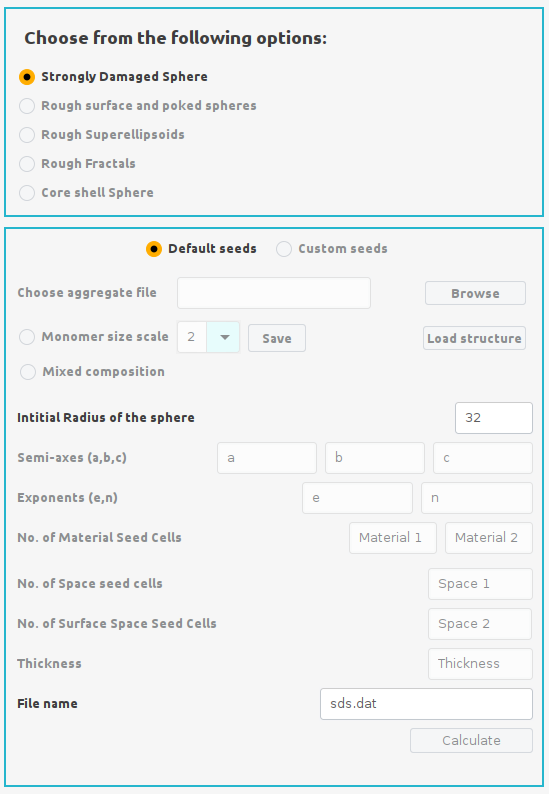
Select the Default Seeds option from the input panel. Enter the Radius of initial structure in number of dipoles (e.g. Rd= 32) and enter a filename for the final structre in the File name section of the input panel. Finally click the Calculate button to start the calculation. During calculation an xterm window will open and indicate the progress of calculation as shown below.
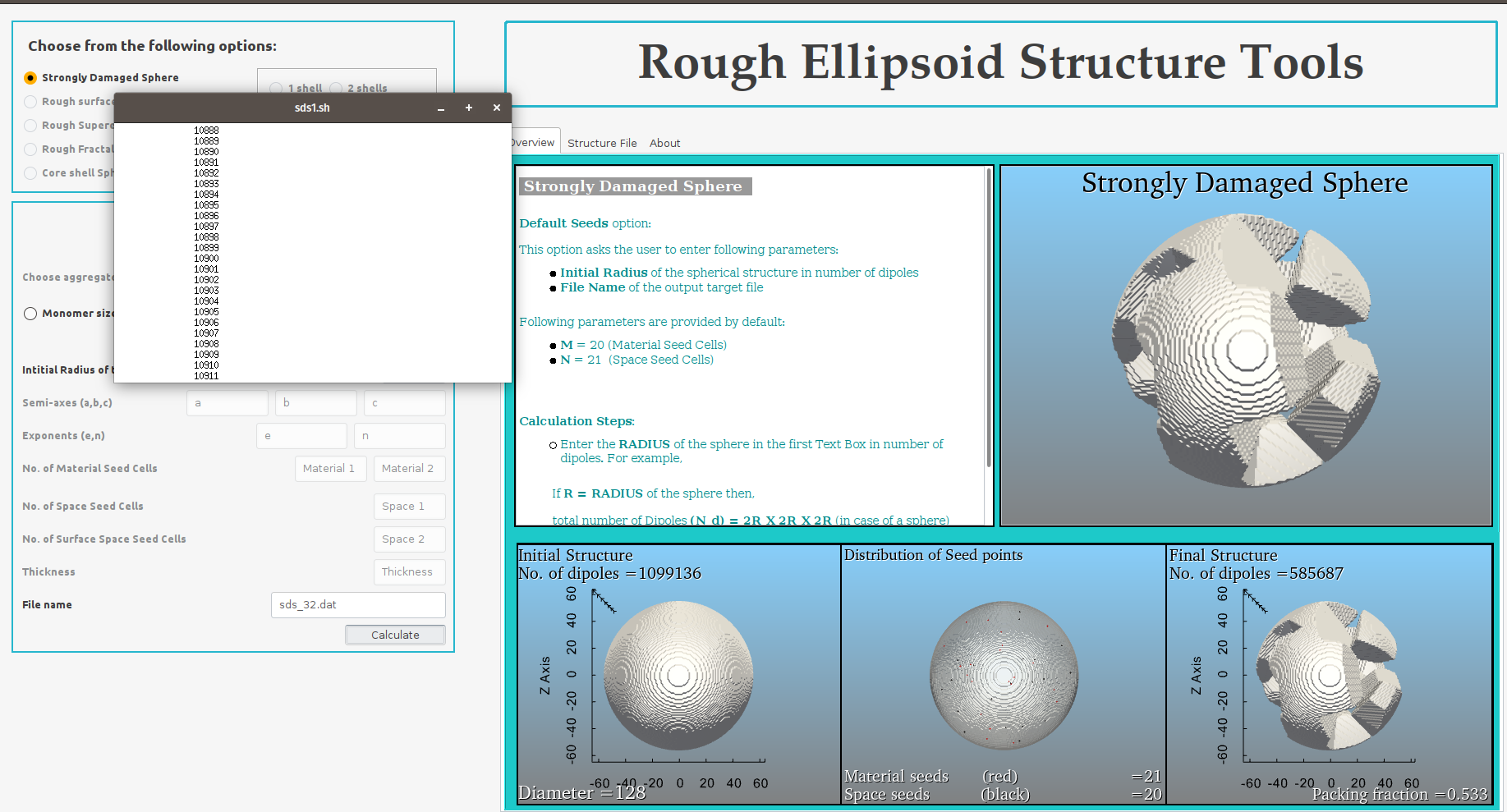
Upon completion of the calculation, the control box will appear below the input panel having pink border.
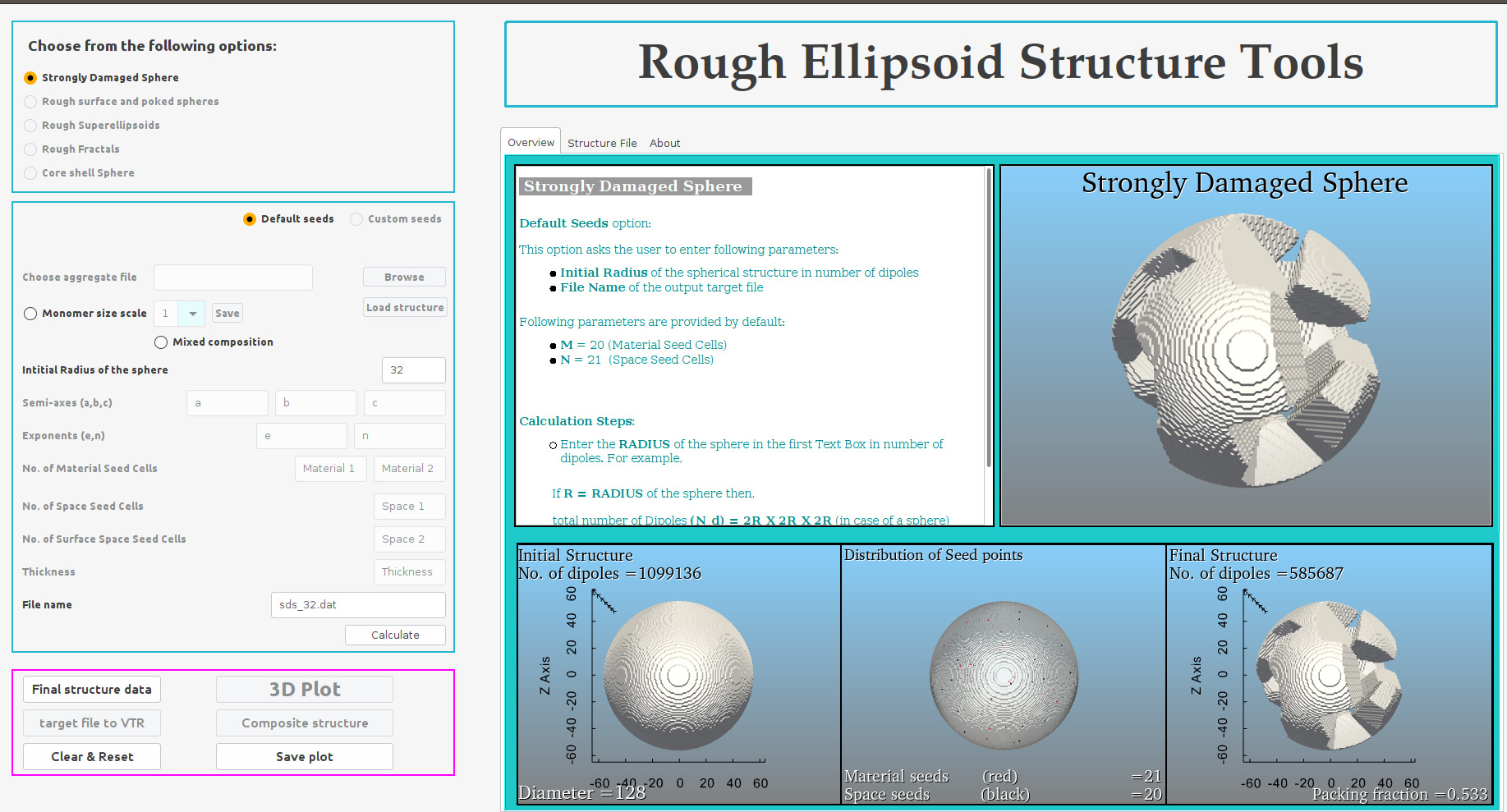
Click the Final structure data button to import the data calculated for generating the final SDS structure in the Structure file panel on the right-hand side.
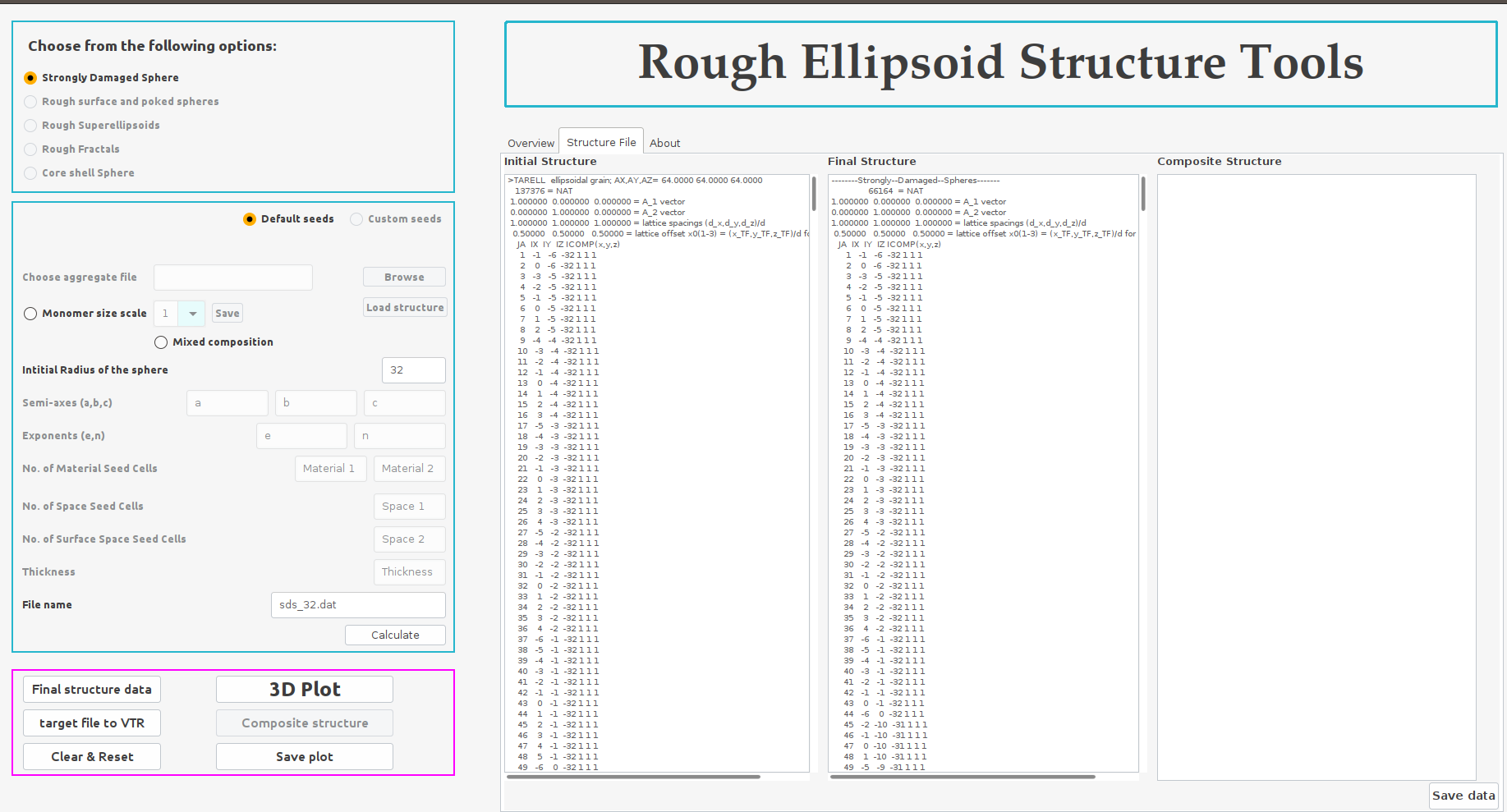
Finally, click the 3D Plot button to convert all the structure data into VTK files and generate the 3D structures initial and final structure along with the distribution of the different seed cells within the initial structure.
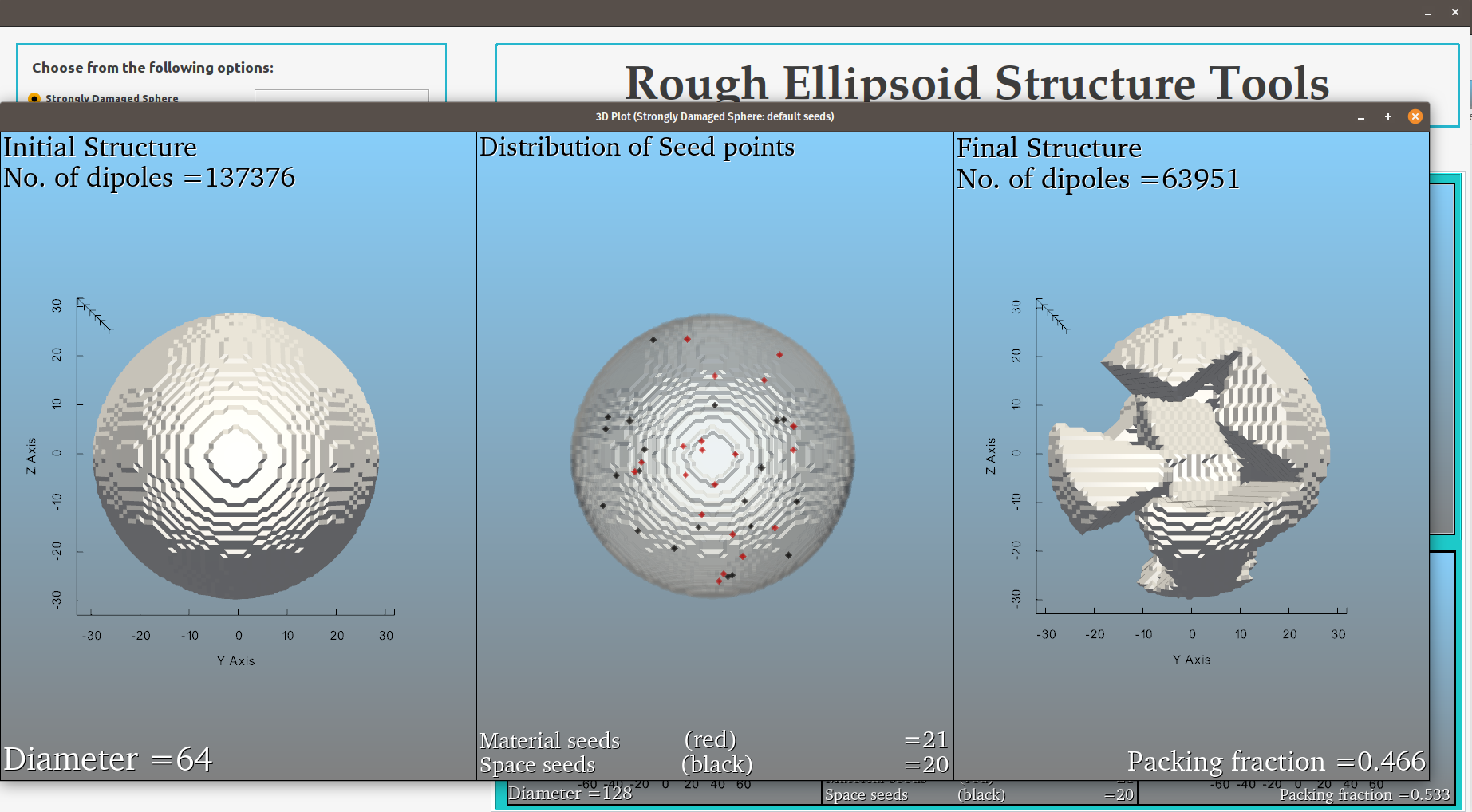
Save the structure data by clicking Save data button and save the 3D plot by clicking Save plot button.
Reset or clear the input and output entries by clicking Clear & Reset button.
Strongly Damaged Sphere (SDS) [Custom Seeds]
In case of SDS (Custom seed) option select Custom Seeds.
Enter the values for Intitial radius of the sphere (Rd), No. of Material seed cells (Nm) and No. of Space seed cells (Ns).
Enter the File name and hit Calculate button.
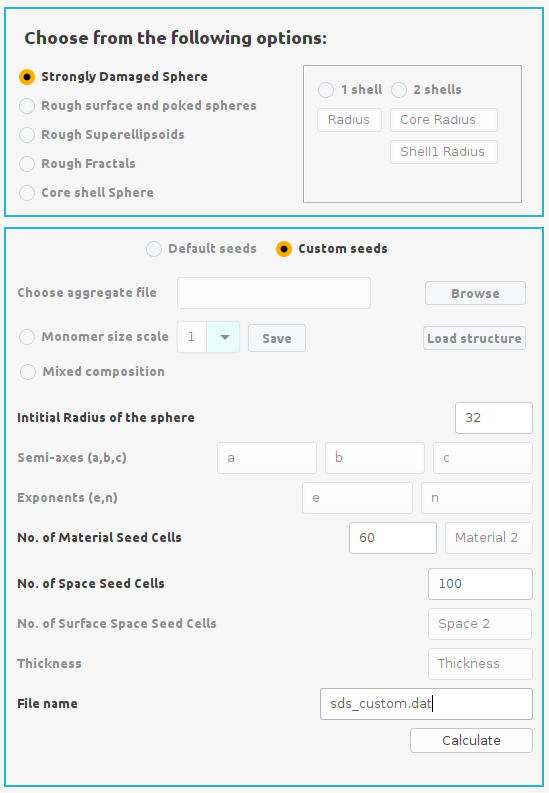
Follow the steps (3-7) from the SDS (Default seeds) section to generate the structre.
Rough Surface (RS)
In case of RS option select Rough Surface and Poked Sphere option and then select Rough Surface option from the input panel.
Enter the values for Intitial radius of the sphere (Rd), No. of Material seed cells (Nm), No. of Space seed cells (Ns) and the Thickness.
Enter the File name and hit Calculate button.
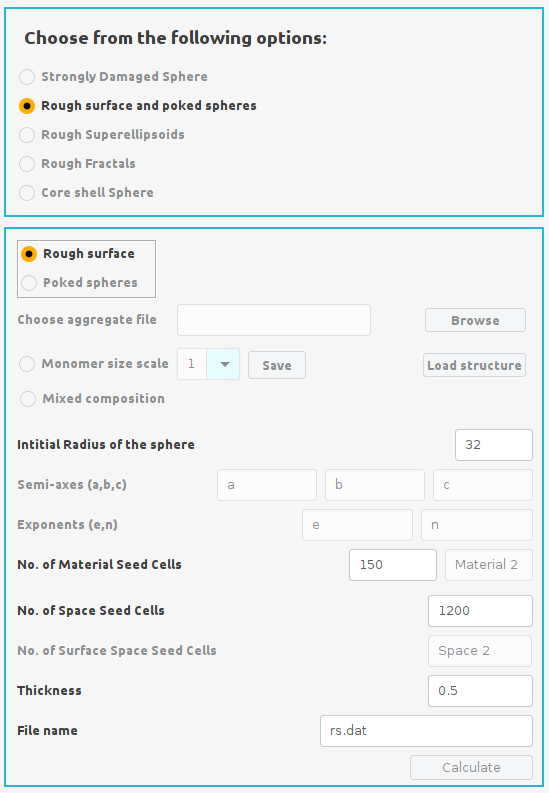
Follow the steps (3-7) from the SDS (Default seeds) section to generate the structre.
Poked Structures (PS)[Homogeneous]
In case of PS (Homogenous) option select Rough Surface and Poked Sphere option and then select Poked sphere option followed by Homogeneous option from the input panel.
Enter the values for Intitial radius of the sphere (Rd), No. of Material seed cells (Nm), No. of Internal Space seed cells (Ns), No. of surface space seed cells (Nss) and the Thickness.
Enter the File name and hit Calculate button.
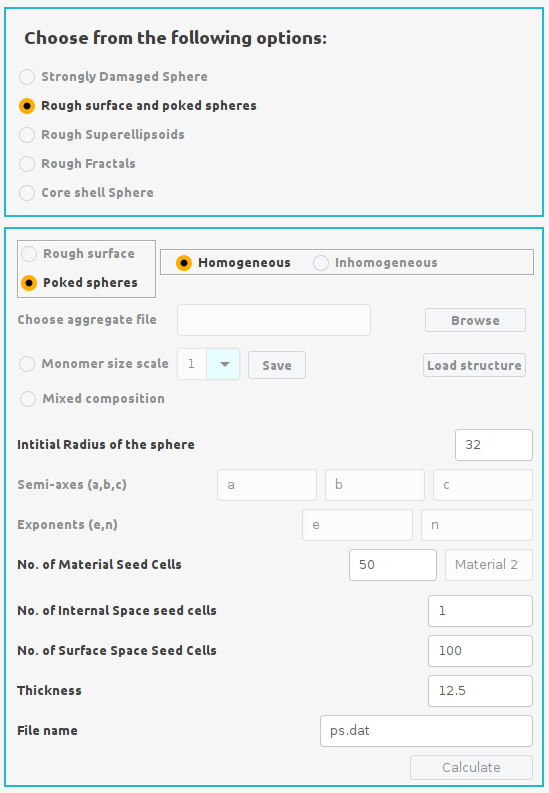
Follow the steps (3-7) from the SDS (Default seeds) section to generate the structre.
Poked Structures (PS)[Inhomogeneous]
In case of PS (Homogenous) option select Rough Surface and Poked Sphere option and then select Poked sphere option followed by Inhomogeneous option from the input panel.
Enter the values for Intitial radius of the sphere (Rd), No. of Material seed cells (Nm1 and Nm2), No. of Internal Space seed cells (Ns), No. of surface space seed cells (Nss) and the Thickness.
Enter the File name and hit Calculate button.
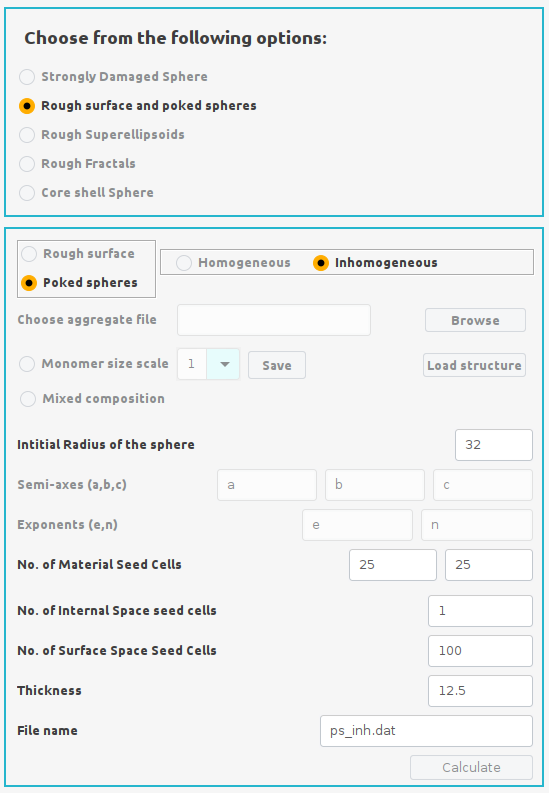
Follow the steps (3-7) from the SDS (Default seeds) section to generate the structre.
Rough Surface Super-ellipsoids (RS-SE)
In case of RS option select Rough Superellipsoids option and then select Rough Surface option from the input panel.
Enter the values for Semi-axes (a,b,c), Exponents (e,n), No. of Material seed cells (Nm) and No. of Space seed cells (Ns).
Enter the File name and hit Calculate button.
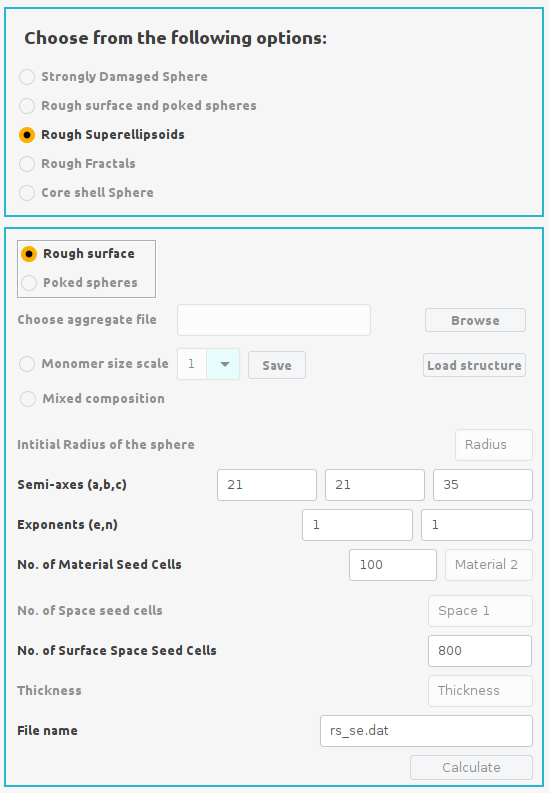
Follow the steps (3-7) from the SDS (Default seeds) section to generate the structre.
Poked Structure Super-ellipsoids (PS-SE) [Homogeneous]
In case of PS (Homogenous) option select Rough Superellipsoids option and then select Poked sphere option followed by Homogeneous option from the input panel.
Enter the values for Semi-axes (a,b,c), Exponents (e,n), No. of Material seed cells (Nm), No. of Internal Space seed cells (Ns) and No. of surface space seed cells (Nss).
Enter the File name and hit Calculate button.
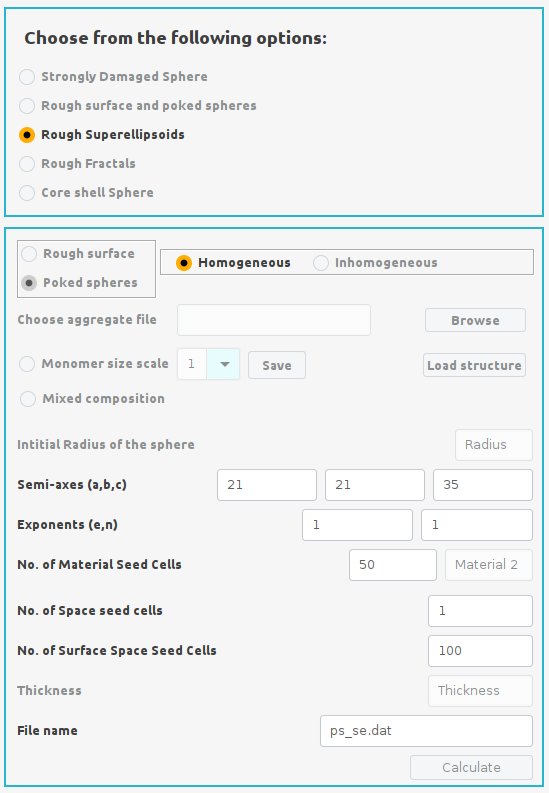
Follow the steps (3-7) from the SDS (Default seeds) section to generate the structre.
Poked Structure Super-ellipsoids (PS-SE) [Inhomogeneous]
In case of PS (Inhomogenous) option select Rough Superellipsoids option and then select Poked sphere option followed by Inhomogeneous option from the input panel.
Enter the values for Semi-axes (a,b,c), Exponents (e,n), No. of Material seed cells (Nm and Nm2), No. of Internal Space seed cells (Ns) and No. of surface space seed cells (Nss).
Enter the File name and hit Calculate button.
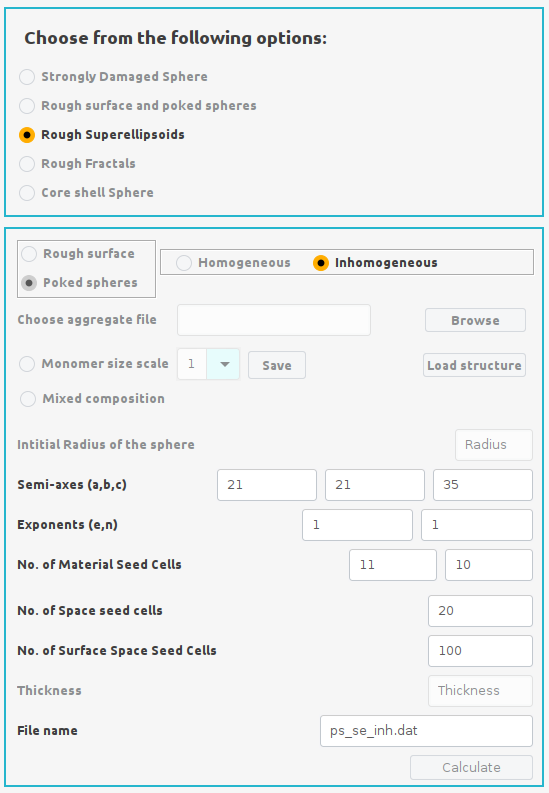
Follow the steps (3-7) from the SDS (Default seeds) section to generate the structre.
Rough Fractal Aggregates (RFA)
Prepaper a fractal aggregate (FA) made up of N spheres each having radius r and coordinates (X, Y, Z). The format of the FA structure file is shown below:
0 r0 X0 Y0 Z0 mtag mtag
1 r1 X1 Y1 Z1 mtag mtag
2 r2 X2 Y2 Z2 mtag mtag
. . . . . . .
. . . . . . .
. . . . . . .
N rN XN YN ZN mtag mtag
where mtag represents either 1 or 2 for homogeneous or inhomogeneous composition respectively.
Click the Rough Fractal Aggregate option from the top panel.
Choose the FA structure file by clicking Browse button.
Select Monomer size scale between 1 to 10 which is required to scale the aggregate into an initial sphere and click Save. The radius of the initial sphere will be automatically setup depending on the scale factor.
Click the Load button to load the structure and scale it according to the size scale factor.
Enter the values for No. of Material seed cells (Nm) and No. of Surface Space seed cells (Nss).
Enter the File name and hit Calculate button.
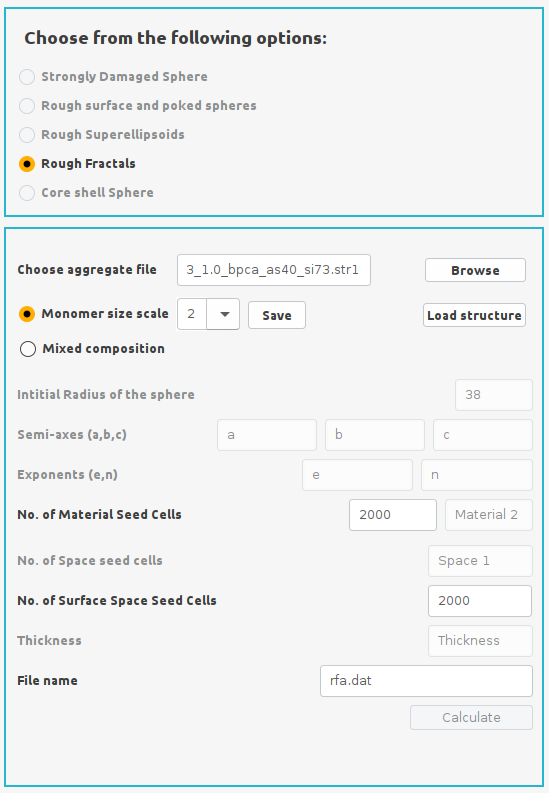
For inhomogeneous RFA structures select Mixed Composition

Follow the steps (3-7) from the SDS (Default seeds) section to generate the structre.